Category Archives: Gadgets and Tech

Why I may never (again) buy a Drobo

Drobo = Great Idea I love the idea of Drobo. A storage device that: protects your data, is easily upgradeable, and is dead simple to use. When it comes to the reality I find things less rosy. Before I continue this review let me make note that there seems to be a conspiracy theory out there about negative Drobo reviews. I do not know if the theory is correct or not but many negative reviews seem to be met with
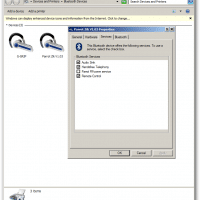
Using Parrot Zik headphones with Windows 7 / Win8 [solved]

Recently I tried pairing some Parrot Zik headphones with my Dell E6430 laptop. The pairing was quite easy but there was no sound when playing media files etc. 🙁 The solution for me was to: Disable the Parrot RFcomm service Specify that my ‘headset does not have an LCD’ After doing that, the headphones worked quite well with Windows! 🙂 It would have been nice if everything would have just worked right out of the box but overall I still rate

Best monitor resolution for SC2?

Q. I read your blog and it looks like you and I share a common interest in Starcraft 2. Can you recommend which is the best resolution for SC2 from a competitive point of view? -Elly Edge A. For maximum Starcraft 2 competitive advantage, you will definitely want a monitor with a 16:9 aspect ratio* as that aspect ratio lets you see the largest amount of terrain. 🙂 Here is an imagine that illustrates the difference between 16:9, 16:10 and

Dell 660s Mini-Desktop PC

Here are the technical specs / order details for a Dell 660s SFF desktop PC ordered earlier this year: Quantity Item Number Description 1 225-2907 INSPIRON 660s 1 319-0168 3rd gen Intel Core i5-3330s processor 2.70 GHz with Turbo Boost 2.0 up to 3.20 GHz 1 317-9672 8GB SDRAM at 1600MHz -2X4G 1 331-9333 Dell KB113 USB Wired Entry Keyboard, US-English 1 320-7810 If accessories are purchased, they may ship separately 1 320-3255 Integrated Intel HD Graphics 1 421-8486 DW1506

Nexus 7 HDMI output adapter

If you want to connect your new Nexus 7 to a bigscreen LCD TV or monitor, the approriate adapters are now in stock and confirmed to work! Specifically, here is the Amazon product page for the TGOM SlimPort -> HDMI adapter that is confirmed to work with the Nexus 7 FHD 2013 model: TGOM SlimPort to HDMI for ASUS Google Nexus 7http://www.amazon.com/gp/product/B00AT0WFEA?ie=UTF8&tag=pixensity-20&linkCode=as2&camp=1789&creative=390957&creativeASIN=B00AT0WFEATechnical Details Connect ( SlimPort® or MyDP-enabled )mobile devices and tablets to any big screen. High Speed micro USB (male)

John Carmack Oculus VR CTO

Some znews about Oculus VR in my inbox this morning: We have incredible news to share with the community: legendary game programmer John Carmack will be officially joining the Oculus team as our new Chief Technology Officer (CTO). John is one of the brightest minds of our generation — pioneer, visionary, and industry legend. There are very few people in the world that can contribute to the Oculus Rift and the future of virtual reality like John can. Source: email.

Sony RX100 Mk II PDF user manual download

When my new RX100 Mk II arrived, I had a heck of a time finding manuals online for it. Thankfully eventually I think I found all of them! Here are download links so hopefully you will have an easier time of it 🙂 Instruction Manual http://pdf.crse.com/manuals/4465973111.pdf User Guide http://pdf.crse.com/manuals/4465969111/EN/index.html Wi-Fi Connection/ One-touch (NFC) Guide http://www.docs.sony.com/release/Flyer_4468878611.pdf Top Search Terms:sony rx100 ii manual (20)sony rx100 ii manual pdf (12)rx100 ii manual (10)sony rx100 ii manual pdf download (9)sony rx100 ii user manual (8)sony rx100

« Older Entries Recent Entries »