Category Archives: WordPress tips

Regenerate thumbnails error on WordPress [SOLVED]
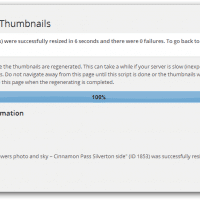
Recently I switched to a new WordPress theme and subsequently encountered some image thumbnail issues. Here is the specific error I received when regenerating thumbnails: function (){if(l){var t=l.length;(function i(t){x.each(t,function(t,n){var r=x.type(n);”function”===r?e.unique&&p.has(n)||l.push(n):n&&n.length&&”string”!==r&&i(n)})})(arguments),n?o=l.length:r&&(s=t,c(r))}return this} This was particularly frustrating, because if a custom size is not available then WordPress will use the FULL size image even for thumbnails. This of course results in slow page times and wasted bandwidth 🙁 The solution Thankfully, after a little checking it appeared to be a simple permissions
The best custom taxonomy plugin for WordPress? [SOLVED]

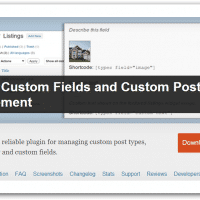
I checked out a bunch of custom taxonomy plugins for WordPress. When it was all said and done my favorite plugin was: Custom Fields and Custom Post Types Management http://wordpress.org/plugins/types/The complete and reliable plugin for managing custom post types, custom taxonomy and custom fields. While it is a little hefty at ~6.8MB after uploading, it does the trick and is fully compatible with the latest WordPress version. Woot! 🙂 Top Search Terms:the best taxnonomy for wordpress (1)

[Err] 2006 – MySQL server has gone away Navicat/WordPress [solved]

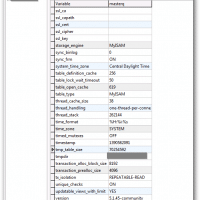
Recently I tried upgrading to the latest version of the WordPress Download Monitor plugin. It did not go well 🙁 Thus, I tried to revert from a backup made using Navicat. Unfortunately, the restore would fail every time while trying to import my wp_posts table (a pretty important table!) I tried exporting the backup to a SQL dump and importing that. No luck. Finally, I tried resolving the actual ‘MySQL server has gone away’ issue itself and I had success. This tip

WordPress comment pagination and 301 redirects

I recently enabled paginated comments on my WordPress blog. Later I decided to disable pagination and just go for the regular ol’ a single comments listing on each post (regardless of how many comments there are). After the chance I was a bit worried about duplicate content, but thankfully when I unchecked the ‘break comments into pages with…’ option from wp-admin -> settings -> discussion WordPress automatically took care of redirecting! Here is the example: http://www.jdhodges.com/blog/dreamweaver-document-too-large-copy-past/comment-page-2/ auto redirects to http://www.jdhodges.com/blog/dreamweaver-document-too-large-copy-past/

Permalink Updates on WordPress

For a very long time this post’s permalink URL would have been: http://www.jdhodges.com/2013/07/permalink-updating-wordpress/ But now it is: http://www.jdhodges.com/blog/permalink-updating-wordpress/ I made this adjustment primarily because an old URL like this one: http://www.jdhodges.com/2012/05/exede-wildblue-satellite-internet-review/ Even if the actual content was updated the URL made it look like it was only updated in 2012. The new permalink structure is shorter and more relevant, so far I love it! 🙂 However, one should exercise caution when doing this type of update as it can wreak

Tweetily “Sign in with Twitter” does not work [SOLVED]

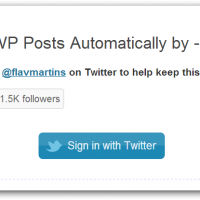
I initially had a problem with the Tweetily plugin, specifically there seemed to be an issue with connecting Tweetily and Twitter. UPDATE: I contacted the plugin author and he kindly suggested that I Reset Settings in Tweetily, in conjunction with other steps, that suggestion eventually worked for me. I have updated the steps below to reflect the new information 🙂 @jdhodges can you try and click the reset settings button and then authorize again? — Flavio Martins (@flavmartins) June 18, 2013 Updated

Roundup of Visitors Online plugins for WordPress

I chose to install the first plugin listed below, wp-useronline, but there are a bunch of options out there! WordPress › WP-UserOnline « WordPress Pluginshttp://wordpress.org/plugins/wp-useronline/This plugin enables you to display how many users are online on your WordPress site, with detailed statistics of where they are and who they are (Members/Guests/Search Bots). WP-UserOnline 2.50 Readmehttp://www.lesterchan.net/wordpress/readme/wp-useronline.htmlFeatures: » Enable you to display how many users are online on your WordPress blog with detailed statistics of where they are and who there are(Members/Guests/Search

« Older Entries Recent Entries »