Category Archives: computer tips

FREE performance monitoring tools for ESXi
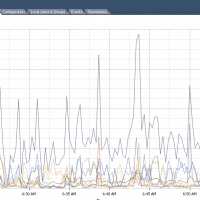
FREE (and pay) performance monitoring tools for ESXi (retain weeks of data, not just an hour) If you have used ESXi much you have probably realized it only shows you one hour worth of performance data. Sure this is handy for checking real time performance but it really stinks when you need to analyze performance during the week/month/year. So, as I find tools for overcoming this limit and helping in ESXi performance monitoring I will post the links here.  🙂
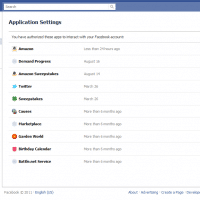
How to disconnect Amazon from Facebook [solved]

Recently I tried to send an Amazon Kindle gift card to a friend via Facebook. I did this because I did not have their current email address. To send it via Facebook I was required to “connect” my Amazon account with my Facebook account. After I did so, the gift card failed to send and so I subsequently wanted to disconnect my Amazon account from my Facebook account (and I just printed the gift card and gave it to my friend in

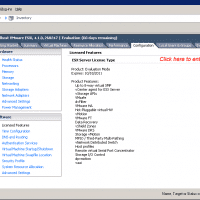
Entering VMWare ESXi 4.1 licensing info [solved]

Did you receive your VMWare ESXi licensing info and now you need to register your license before your 60 day evaluation is up? Never fear, here are the steps to do it: 5 Easy Steps Step 1 From the vSphere Client GUI, click the Configuration tab. Step 2 From the left pane, under Software, choose Licensed Features. Step 3 Click Edit…, which is located on the top right corner of the Licensed Features page. The Assign License page opens. Step

MacBook Air dropping wifi? [solved]

Q. My MBA keeps dropping wifi connections, especially when coming up from sleep… it is weird because it prompts me to reenter my WPA2 password every time it does this but even after entering the password it can’t connect! Can you help? A. I have a MBA that exhibited similar issues, so far the best help has been the latest Lion update (10.7.1) Hopefully this update will help you too and get your MacBook Air working well with wifi! If

Force MacBook Air/Pro keyboard backlight ON [solved]

I was dismayed when my new MacBook’s backlit keyboard turned off without any warning. Apparently Apple feels it knows best when the kb backlight should be on and off. This auto-off behavior was a bit of a bummer to me after many Dell and HP laptops which feature fully user controllable backlit keyboards. Thankfully “Lab Tick” is a small program which lets you take control of the backlight! Highly recommended for anyone with a MacBook Pro or MacBook Air and backlit keyboard…

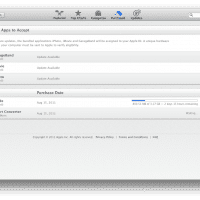
How to view status of app store download? Mac OSX El Capitan

I was downloading the latest iOS SDK from the Mac App Store and initially I could not find the download status. Eventually I found one way to do so, go to the “Purchased” section of the app store and you should be able to view the download progress! 🙂 I realize it is pretty obvious once you see it, but I really wish Apple would put the progress someplace else too… if anybody has other tips for viewing DL status,

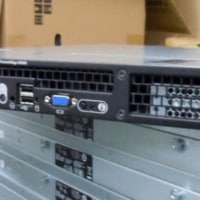
Install VMWare ESXi on Dell PowerEdge 1950 III server

Later this week I will be installing VMWare ESXi for the first time. It will be on a nice Dell 1U server and here are a few links and resources that I have gathered so far: Compatibility list for VMWare ESXi versions: http://www.vmware.com/resources/compatibility/search.php PowerEdge 1950 = good to go with the latest ESXi versions! Install ESXi to a USB thumbdrive (so you can free a valuable SATA/SAS port for VM usage) Install ESXi 4.0 to a USB devicehttp://www.vm-help.com/esx40i/Boot_ESXi_from_USB_flash_drive.phpBelow are 2

Minimize all windows/apps in Mac OSX Lion [solved]

Q. How do I quickly minimize all runnings apps/windows and show the Mac OSX desktop?! A. The best way I know of is to press the F11 key (or Fn+F11 on some MacBook keyboards…) this should  push all your apps out of the way and show the desktop. To get your apps back in place, just press F11 again! PS another method is to command+option+click on the desktop, (or instead of Desktop, a Finder window, or the Finder icon in the dock).

« Older Entries Recent Entries »