Category Archives: computer tips

How to change a Facebook album cover photo

UPDATE: 2012.12.02 Some users are reporting an issue where Facebook still displays the ‘Make Cover Album’ as shown in these instructions, but it is not selectable. This appears to be a bug in Facebook, or that perhaps they are disabling the feature but haven’t remove the option 🙁 It is rather absurd how many times Facebook has messed with this rather simple option and how much grief they have caused their users! OLDER UPDATE: 2012.09.29 Facebook just changed things up
USB long range Wifi options

When your laptop’s internal Wifi just can’t quite get the reception you want, an external USB Wifi adapter (and antenna) can be just the ticket 🙂 Here are a couple intriguing options available from Amazon: Amazon.com: C. Crane US3 Super USB Wifi Antenna 3: Electronicshttp://www.amazon.com/gp/product/B004UR72IM?ie=UTF8&tag=pixensity-20&linkCode=as2&camp=1789&creative=390957&creativeASIN=B004UR72IMProduct Dimensions: 5.2 x 2.5 x 11.5 inches Shipping Weight: 1.4 pounds (View shipping rates and policies) Shipping: This item is also available for shipping to select countries… Amazon.com: Alfa AWUS036H Upgraded to 1000mW 1W 802.11b/g

2.1 Speaker Roundup! Beatbox vs. Tango TRX vs. Rockus

This is a review of three sound systems I have had the pleasure of listening to at home and in the shop: Antec Soundscience Rockus 2.1 Price: $99-$181 at Amazon Review rating: 3.75/5 stars Pros: Good sound and great bass. Cons: Bulky compared to the others, no built-in wireless connections, no built in charging, not as high-fidelity as the Beatbox,  more cable tangle to deal with. No remote control Summary: Pricing varies widely, but a good deal at $99 and ideal

ASUS RT-N56U WiFi Router Review

ASUS Black Diamond Dual Band Wireless-N 600 Router (RT-N56U) NOTE: Review will be updated once performance testing is complete… tentative rating so far:  [starreview tpl=16] Pros: +easy setup +small size +two USB ports! +decent SAMBA transfer speeds (6Mbs-8Mbs actual throughput) +supports NTFS on USB devices Cons: -cannot use external antennas 🙁 -unusual power connector (if the power supply dies, you are likely NOT going to have a compatible spare laying around) -unusual case design could make mounting/positioning difficult (though it does look

Godaddy domain name promo code coupon

GoDaddy and Bob Parsons make some questionably decisions (as illustrated by their SOPA saga and elephant hunting escapade). However, they do have one of the lowest prices I’ve seen in a long time for new .com domain registrations: $5.99 USD Here is the coupon code: cjc599V NOTE: Works as of Feb 8th 4:08PM Coupon found via Live Godaddy Promo Code List. Top Search Terms:rapidshare coupon code 2012 (10)rapidshare coupon (9)rapidshare coupon 2012 (9)godaddy coupon (3)rapidshare coupon code (3)rapidshare coupons 2012 (3)where can i find

ViewSonic PJD6531w projector and 3D Vision

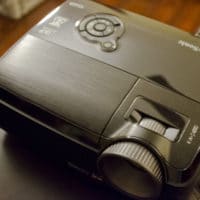
I saw my first (modern) 3D movie last night at the theater. The effect was enjoyable and so I decided to start researching 3D on my PJD6531w projector. There have apparently been some teething problems with this projector and 3D Vision, but the first two links below offer some helpful tips for getting NVIDIA 3D Vision working with the ViewSonic PJD6531w: ViewSonic PJD6531w 3D Projector Review – NVIDIA Forums – Page 3 1280×800 3D Vision ViewSonic PJD6531w – 3D Vision Blog 3D

Unknown Device “ACPI ENE0100” download Windows 7 driver (HP)

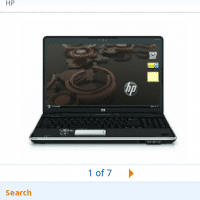
HP DV6 Amazon product page listing as displayed by the Android browser

Question from Charley C. Hello, I have a HP Pavilion dv6 with Windows 7. I really like the laptop but I have the following annoying unknown device listed in device manager: ACPI\ENE0100  *ENE0100 Can you help me find the right driver? Many thanks in advance. Answer.  The ACPI\ENE0100 is generally the “ENE CIR Receiver”, you can download the driver here: Windows 7 32 bit and 64 bit: HP download link page or [download id=”10473″ format=”1″] Vista: HP download link page or [download id=”10471″ format=”1″]Also, could

Disable beep on Acer AO722 netbook [SOLVED two ways]

The Acer AO722 is a lovely little netbook. However, it does have a few annoyances. One of which is that when using the netbook it will make an annoyinh beep, if you plug-in, or unplug, the power supply. 🙁 I am not sure why Acer designed the A0722 this way, but thankfully there are a couple ways to disable the power plug beep! In Windows 7 go to: Control Panel > Sound > Playback Tab > Speakers > Properties >

« Older Entries Recent Entries »