Category Archives: computer tips

RTX 5080 vs. RTX 3090: Is It Time to Upgrade in 2026?

Is the Upgrade Actually Worth It? The internet loves a clean upgrade narrative: Old card bad, new card good, spend money. But the reality of the NVIDIA RTX 5080 era is messier and more interesting. If you are currently rocking an RTX 3090, you’re still packing serious heat. That card remains a 24GB monster. The big question: Is the 5080 a meaningful leap forward, or just high-end hardware FOMO? Let’s break down the data. Raw Gaming Performance: Faster, but is

Alienware / RTX 5090 Laptop — Quick Spec Dump (Reference)

I lucked into a super deal on this laptop (in-store only) about three months before RAM prices started getting crazy, and my wife was awesome enough to pick it up for me at Micro Center while she was in the city. šŸ™Œ So far it’s been an absolute beast: coding, compiling, LLMs, image generation, and basically anything else I’ve thrown at it without breaking a sweat. It lives on my desk most of the time, but it’s pretty great being

AMD APU (CPU+GPU) Review: From 7840U to the Monster “Strix Halo” 395 AI Max+

I’ve been getting some comments lately about the current state of AMD’s mobile processors. It’s a bit of a jungle out there with the naming schemes (looking at you, AMD marketing department šŸ˜‰), so I wanted to put together a guide as I regularly use these CPUs/APUs in my daily work. Specifically, we are looking at the evolution from the popular “Thin & Light” 7840U (like in my trusty T14) all the way up to the beast, the Ryzen AI

ThinkPad P14s AI 9 XH PRO 370 w/96GB RAM & LLM benchmarks

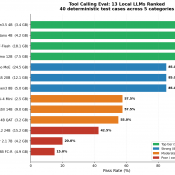
Running Big LLMs on a Little Workstation: My Adventures with the ThinkPad P14s Gen 6 AMD I’ve been experimenting with large language models (LLMs) lately, and I wanted to see how far I could push things using a (relatively) inexpensive laptop. Enter the ThinkPad P14s Gen 6 AMD—a slim mobile workstation that set me back about $1,600. On paper it’s not exactly a ā€œsupercomputer,ā€ but with the right configuration (and my go-to tool, LM Studio), it turns out this little

Etekcity Infrared Thermometer [REVIEW]

Etekcity Infrared Thermometer – A Practical Everyday Tool That Just Works šŸŒ”ļø You ever need to check the temp of something quickly—whether it’s your grill, oven, HVAC vents, or even your gaming PC? The Etekcity Infrared Thermometer is one of those tools you don’t realize you need until you have one. Then, suddenly, you’ve got three—one for the kitchen, garage, and shop (ask me how I know). It’s simple, affordable, and reliable for checking surface temperatures without making contact—which is

bad shim signature- you need to load the kernel first [SOLVED]

Fixing ā€œBad Shim Signature – You Need to Load the Kernel Firstā€ When Installing Pop!_OS If you’ve ever tried installing Pop!_OS and encountered the frustrating ā€œBad Shim Signature – You Need to Load the Kernel Firstā€ error, don’t worry—you’re not alone! 🤯 This issue usually rears its head on systems with Secure Boot enabled. Luckily, there’s a straightforward fix to get you past this roadblock and on your way to enjoying Pop!_OS. Let’s dive in! 🐧 The Culprit: Secure Boot

Complete Instructions for Creating Multi-Page PDF in Photoshop Using Artboards

How to Create a Two-Page Duplex PSD/PDF in Photoshop for Double-Sided Printing Recently, I had to scan a duplex (double-sided) form, edit it in Photoshop, and then reprint it as a duplex document for mailing. The catch? I’d never made a “two-page” document in Photoshop before. šŸ˜… After some trial and error (and a few cups of coffee ā˜•), I figured it out. Here’s the process I used—it’s surprisingly straightforward once you know the steps! NOTE: There are definitely better

Resolving External USB HDD Mount Issues on Synology NAS (exFAT) (1813+ and others)

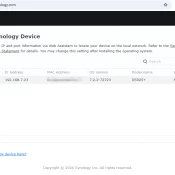
Resolving External USB HDD Mount Issues on Synology NAS (exFAT) If you’ve recently connected an external USB HDD to your Synology NAS and encountered an error message like “System failed to mount external device [USB Disk 1] partition [1]”, you’re not alone. This issue often arises when the external device is formatted in the exFAT filesystem, which requires additional support on Synology systems. In this post, I’ll guide you through identifying the issue and implementing a simple solution using the

« Older Entries