Force MacBook Air/Pro keyboard backlight ON [solved]
I was dismayed when my new MacBook’s backlit keyboard turned off without any warning. Apparently Apple feels it knows best when the kb backlight should be on and off.
This auto-off behavior was a bit of a bummer to me after many Dell and HP laptops which feature fully user controllable backlit keyboards. Thankfully “Lab Tick” is a small program which lets you take control of the backlight!
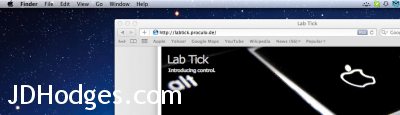
Highly recommended for anyone with a MacBook Pro or MacBook Air and backlit keyboard… 🙂
Top Search Terms:
- macbook air keyboard backlight (22)
- macbook air windows 7 keyboard light (11)
- how to turn on keyboard backlight on macbook air (10)
- how to turn on backlit keyboard macbook air (9)
- macbook air keyboard light (9)
- keyboard backlight macbook air windows (7)
- macbook air windows 7 backlit keyboard (7)
- macbook pro force keyboard backlight (6)
- turn on keyboard backlight macbook air (6)
- macbook air keyboard backlight windows (6)
Labtick doesn’t work properly for me either. It turns on the light and then dims them again. I’ve tried all combinations of settings between labtick and the Mac’s keyboard settings, but nothing will solve it. All I want is either my keyboard to be always lit, or have full manual control over the keybiard lighting. Never mind the ambient light. Any ideas?
Using a 2011 13″ MacBook Pro with Mac OS X 10.6.8. Plenty of CPU, plenty of memory.
Hey Hans, sorry for the late reply! If LabTick keeps dimming the backlight even when you’ve cranked the settings up, the ambient light sensor on the 2011 MacBook Pro is likely overriding it. Try going to System Preferences > Keyboard and unchecking “Automatically adjust keyboard brightness in low light” first, and then let LabTick take full control. If the sensor is still fighting it, some users have had success covering the ambient light sensor (it’s near the iSight camera) with a small piece of tape to trick it into always thinking the room is bright.