Tag Archives: paste

How to Drag Files into Claude Code in VS Code (Paste with Context)
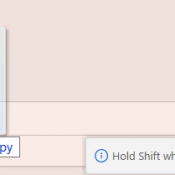
TL;DR: In the Claude Code VS Code extension, hold Shift while dragging a file from the Explorer panel into the Claude Code prompt box. This attaches the file as context so Claude can read and reference it directly. Without Shift, VS Code just opens the file in a new tab. Hold Shift and drag a file into the prompt. The “Hold Shift while dragging to drop files into Claude Code” tooltip confirms you’re doing it right. What Is Paste with
CTRL+V to paste images & screenshots not working in Claude Code? [SOLVED]

So this took me a minute to realize, and if it saves even one person some frustration, it’s worth a post. I’m working in Claude Code, trying to paste a screenshot or image like I can in VS Code with Claude Extension:CTRL+V… nothing.Try again. Nothing.Different image. Still nothing. A few thoughts are running through my head? Turns out… nope. I was just using the wrong shortcut. The magic combo is: ALT + V After which you should see something beautiful