Tag Archives: llm

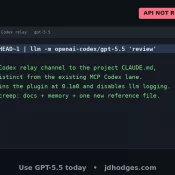
How to Use GPT-5.5 Today at the CLI (Via Your Existing Codex Subscription)

Update 2026-04-26 Small 4/26 update before you run the commands below: Codex CLI 0.125.0 added GPT-5.5 to codex exec -m gpt-5.5 and the Codex MCP server. (For MCP, restart Claude Code after upgrading so the running server picks up the new binary.) The relay is no longer the only path to 5.5 from your terminal. The OpenAI public API still hasn’t shipped 5.5 as of today. I’m still keeping the relay for fast one-off pipes and as a backup connection

How to Allocate VRAM on AMD Strix Halo for LLMs and AI Workloads

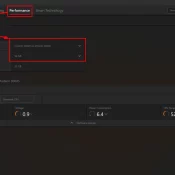
If you have a Ryzen AI Max+ 395 (Strix Halo) system with 128GB of RAM and you’re wondering why your local LLM host (be it LM Studio, Ollama, or whatever) can’t see most of that memory, this is the fix. AMD’s unified memory architecture means your CPU and GPU share the same physical RAM, but Windows needs to be told how much of it the GPU is allowed to use. By default, it’s VERY conservative. More info below and how

How 25,000 Junk Folders Were Breaking My AI Doc Organizer (Garbage In, Garbage Out)

How 25,000 Junk Folders Were Silently Breaking My AI Document Organizer (Garbage In, Garbage Out) Thousands of (somewhat) zombie Quicken folders taken care of via compressing them into one 7z archive: Details: My AI File Organizer Was Fighting 25,000 Phantom Folders (And Losing 😜) For a while, my automated document filer was misbehaving. Scan an insurance card — it suggests filing it in a folder called Q-Final. Scan a bank statement — it wants to put it in Attach. The

ThinkPad P14s AI 9 XH PRO 370 w/96GB RAM & LLM benchmarks

Running Big LLMs on a Little Workstation: My Adventures with the ThinkPad P14s Gen 6 AMD I’ve been experimenting with large language models (LLMs) lately, and I wanted to see how far I could push things using a (relatively) inexpensive laptop. Enter the ThinkPad P14s Gen 6 AMD—a slim mobile workstation that set me back about $1,600. On paper it’s not exactly a “supercomputer,” but with the right configuration (and my go-to tool, LM Studio), it turns out this little