Tag Archives: linux

How to Set Up a SSH Connection in Claude Code Desktop
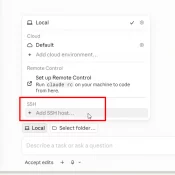
Summary: Claude Code’s desktop app can SSH into a remote machine and run sessions there against your repo, MCP servers, and ~/.claude config. Setup is a four-field dialog, assuming ssh user@host (where user is your username and host is the hostname or IP) already works from your terminal. The non-obvious caveat: session history is siloed. The desktop app, the CLI on the remote, and the VS Code extension (if you use it) on the remote each keep separate session lists.
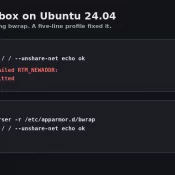
How to Fix Codex Sandbox Errors on Ubuntu 24.04

Terminal before and after: bwrap RTM_NEWADDR error before the AppArmor profile, ok after

TL;DR: Codex sandbox errors on Ubuntu 24.04 almost always trace back to one thing on freshly installed boxes: AppArmor blocking bwrap. A five-line /etc/apparmor.d/bwrap profile fixed it on my system. If you’re hitting the same wall, paste your error into Claude Code and let it walk you through. đŸ’Ș The Symptom: Codex Sandbox Hangs on Ubuntu 24.04 My Codex setup on a fresh Ubuntu 24.04 VM was unusable. Every codex exec call burned 35K to 54K tokens over 2 or

VMWare workstation player download [SOLVED] 2026

⚠ Major Update (Feb 2026): VMware Workstation Player has been discontinued. Read below for what happened and what to use instead. QUESTION: I need to download VMware Workstation Player, but I can’t find it anywhere. Does anyone know where to get it? ANSWER: VMware Workstation Player no longer exists as a standalone product. Broadcom discontinued it in May 2024, and version 17.x reached end-of-life on November 17, 2025. No more updates, no more downloads from official sources. The good news? VMware Workstation Pro is now

bad shim signature- you need to load the kernel first [SOLVED]

Fixing “Bad Shim Signature – You Need to Load the Kernel First” When Installing Pop!_OS If you’ve ever tried installing Pop!_OS and encountered the frustrating “Bad Shim Signature – You Need to Load the Kernel First” error, don’t worry—you’re not alone! đŸ€Ż This issue usually rears its head on systems with Secure Boot enabled. Luckily, there’s a straightforward fix to get you past this roadblock and on your way to enjoying Pop!_OS. Let’s dive in! 🐧 The Culprit: Secure Boot

Enable mod_rewrite on TurnKey Linux Apache2

How to enable mod_rewrite on TurnKey Linux: a2enmod rewrite root@lamp ~# a2enmod rewrite Enabling module rewrite. To activate the new configuration, you need to run: service apache2 restart root@lamp ~# service apache2 restart [….] Restarting web server: apache2apache2: Could not reliably determine the server’s fully qualified domain name, using 127.0.1.1 for ServerName … waiting .apache2: Could not reliably determine the server’s fully qualified domain name, using 127.0.1.1 for ServerName . ok root@lamp ~# 🙂 [end]     Top Search Terms:apache enable

ProFTPd MySQL configuration / Linux free space check / setting Gentoo static IP

Links and info that were useful during a recent database server move: #1 Setting (or changing) a static IP address on Gentoo: Gentoo Forums :: View topic – Switching to a static IP (within your network)http://forums.gentoo.org/viewtopic-t-747458-start-0.html #2 Find out how much disk space is left in Linux, or what the disk size is Linux Command To Find How Much Disk Space Is Being Used Show Displayhttp://www.wallpaperama.com/forums/linux-command-to-find-how-much-disk-space-is-being-used-show-display-t713.htmla simple linux shell command to show you how much space a directory is using