Tag Archives: ds925-plus

How to Enable Wake-on-LAN (WoL) on a Synology NAS (DS925+ and Others)
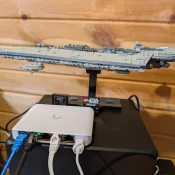
TL;DR: On a Synology NAS, enabling Wake-on-LAN takes two steps in two different DSM screens. Turn on Enable WOL on LAN 1 in Control Panel > Hardware & Power > General, then get the NAS MAC address from Control Panel > Info Center > Network, not from Network > Network Interface. Why Wake-on-LAN for your NAS? Wake-on-LAN, or WoL, lets you wake a powered-down device by sending a small network broadcast called a magic packet. I wanted it on my
How to Find Your New Synology NAS IP Address (DS925+ and Others)

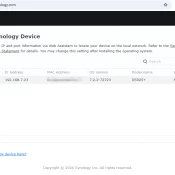
TL;DR: Synology NAS devices use DHCP, so there’s no default IP address. To find your new DiskStation on the network, open find.synology.com in any browser. It will detect the NAS and hopefully show you the IP address in seconds. The Problem You unbox a new Synology DS925+, slot in your drives, plug in Ethernet and power, and wait for it to boot. Now what? Unlike a router with a sticker on the bottom showing 192.168.1.1, Synology NAS devices don’t have