Search Results for: ipmi

I Asked Claude What Hardware It Wanted. It Told Me.

NoteTL;DR Summary: After buying the 32GB / 1TB Minisforum MS-01 from Newegg for $1,016.58 on February 8, 2026 and running it off-grid on solar in rural Missouri, I think it is one of the best Proxmox setups you can build if you care about low idle power, serious networking, and headless management. It has been rock solid and my trusty little box idles around 13W-35W while running Home Assistant, a solar poller, SearXNG, and Open WebUI. For current pricing Check

Download the latest version of ESXi for Dell

Today I needed to download the latest Dell customized ISO of VMWare ESXi. It took me a moment to find the latest version, so here is a link to help you find it faster: http://www.dell.com/support/drivers/us/en/19/driverdetails?driverid=RD5JN This isΒ VMware ESXi 5.1 Update 1 and it was released on April 29th 2013. You can burn it to a CD or mount it via an IPMI/DRAC interface if you so desire. Also, you will need a USB thumbdrive to install ESXi to as you
Run a Java .jnlp file without installing JRE

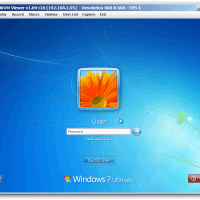
NOTE: these instructions are tailored toward working with an IPMI remote console JNLP application called launch.jnlp, however, the same principles will work for other .jnlp applications as well πŸ™‚ Some of my favorite Supermicro servers use IPMI for remote server management. Using a simple web browser interface the Supermicro servers expose a wide variety of configuration options. However, if you want to view the remote console (and thereby remote control the server), you have to use Java to launch a

IPCop ‘boot error’ occurs after successful installation

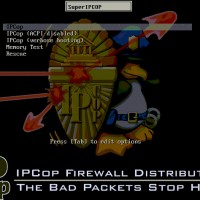
Summary of article: If you mount the IPCop (or smoothwall) ISO via IPMI and then install, you are likely to get a boot error once you reboot and the ISO is unmounted. A workaround is to install via an actual DVD drive* (USB, SATA or IDE should all work) *you can remove the drive after install. All the gory details: This weekend I was at the datacenter for work. Part of my task was to setup a new firewall using

How to power on a server via IMPI

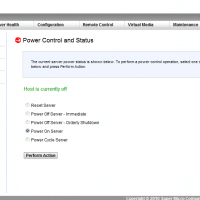
The following instructions are for a Supermicro mini-itx dual core Atom based machine with IPMI built in πŸ™‚ Load the administrative interface by specifying the IPMI interface’s IP address and entering it in Β your web browser Example: http://192.168.1.9/ Default login: User: ADMIN Password: ADMIN (both are in all caps) Go to Remote Control -> Power Control menu option Select Power On Server Click the Perform Action button The computer will then power on. πŸ™‚ Top Search Terms:supermicro impi (6)howto power

Install VMWare ESXi on Dell PowerEdge 1950 III server

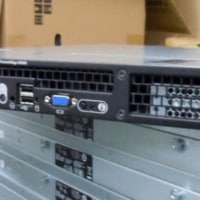
Later this week I will be installing VMWare ESXi for the first time. It will be on a nice Dell 1U server and here are a few links and resources that I have gathered so far: Compatibility list for VMWare ESXi versions: http://www.vmware.com/resources/compatibility/search.php PowerEdge 1950 = good to go with the latest ESXi versions! Install ESXi to a USB thumbdrive (so you can free a valuable SATA/SAS port for VM usage) Install ESXi 4.0 to a USB devicehttp://www.vm-help.com/esx40i/Boot_ESXi_from_USB_flash_drive.phpBelow are 2