OnePlus 5 Return RMA Instructions
If you need to return your OnePlus 5 phone, please find below the official instructions from a OnePlus employee. First I tried their website’s support ticket section, and these are the specific instructions they gave me 🙂 I added screenshots to illustrate the process and I hope this helps! -J.D.
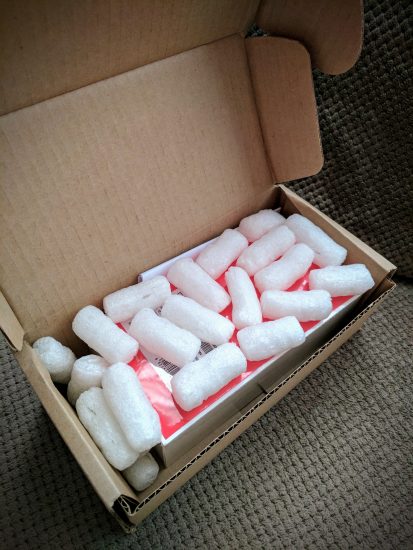
OnePlus 5 Packaging
[…] if you really want to return your device since it’s still within our 15-day return warranty you need to create a return request. Once we approve your request and receive the returned item(s), we will issue a full refund through PayPal minus any shipping and handling fees incurred in the return process.
All returned product(s) will be fully inspected. To qualify for a refund, the product(s) must be in ‘like new’ condition and, if possible, with the original sealed packaging intact. We reserve the right to refuse a refund if the returned goods are deemed to have been damaged. You can refer to the details of the OnePlus Return Policy here: https://oneplus.net/privacy-and-legal#returnpolicy.
If you would like to proceed, please see below for a quick step by step tutorial for creating an RMA(Return Material Authorization) via your OnePlus account:
Step 1: Head over to your my orders page and click the ‘my orders’ button and identify the device you would like to serve to begin your repair and warranty claim.
[https://oneplus.net/sales/order/history]
Step 2: Select RMA Type. You can select Return, Replacement or Repair.
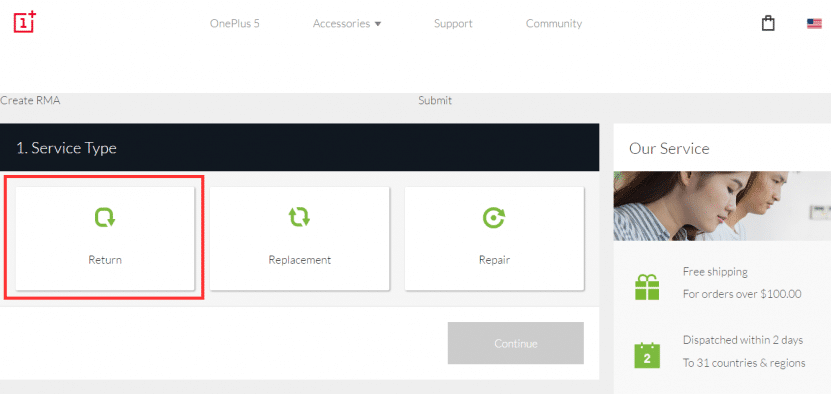
Select RETURN
Step 3: Choose the Items
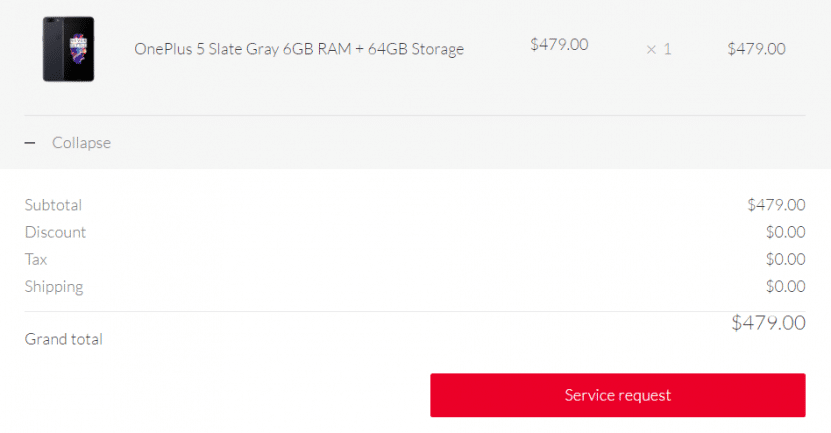
Choose OnePlus items to return
Step 4: Fill in Reasons and upload attachment
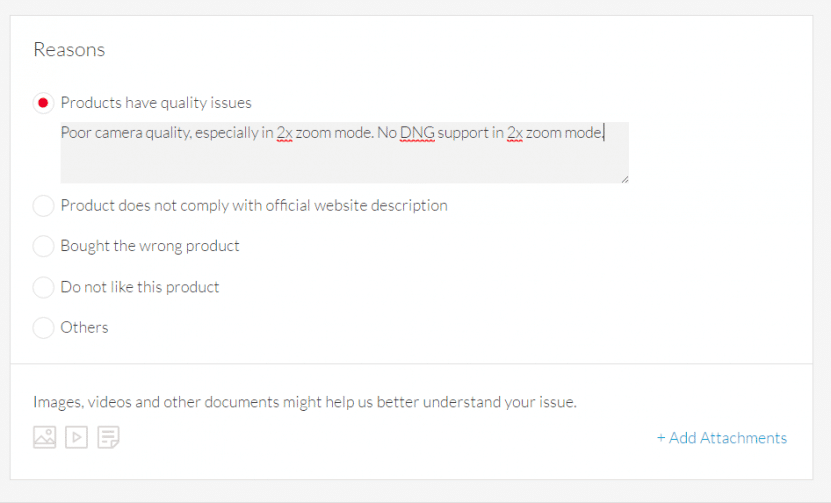
List reason(s) for return
Step 5: Confirm the email
Step 6: Choose or input an address
Step 7: Submit the RMA request
If you successfully submitted the RMA, you can find it under My Account > Service Request. Once you have created an RMA our Repair, Replacement, Return(RRR) specialist will look into your case and contact you within 2-3 days.
Please Note: For all Return Requests, please attach pictures of all items you wish to return when submitting the RMA. Right after your device is received, our service center will have 2 business days for inspection, once passed, 1 business days for refund team to process the refund, 3 business days maximum refunded amount to reflect on the customer’s account (6 business days from the time the service center received the parcel).
Please let me know if you’d like to proceed or if you have any other questions.
- oneplus rma (2)
- oneplus rma time (2)
- apply rma oneplus means (2)
- what is rma in oneplus (2)
- what is rma oneplus (2)
- oneplus 5 rma (1)
- oneplus 5 return (1)
- one plus rma label when (1)
- one plus 5 return to company procedure (1)
- how to ship a phone to oneplus for repairs (1)
Hello. Do they organise courer for returning device or they send me labels and I need to get courer to send it to them? If so, do I need to pay for courer or return is for free? Thank you
Hey Alina, based on the instructions from OnePlus that I received, the return shipping process can vary by region. In my experience they provided a prepaid label, but I can’t say for certain whether that applies in your country. When you submit the return request through your OnePlus account, the instructions they send will specify whether they arrange a courier pickup or provide a label. I’d recommend submitting the request first and then following up with their support chat if the return shipping instructions aren’t clear.