CTRL+V to paste images & screenshots not working in Claude Code? [SOLVED]
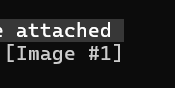
So this took me a minute to realize, and if it saves even one person some frustration, it’s worth a post. I’m working in Claude Code, trying to paste a screenshot or image like I can in VS Code with Claude Extension:CTRL+V… nothing.Try again. Nothing.Different image. Still nothing. A few thoughts are running through my head? Turns out… nope. I was just using the wrong shortcut. The magic combo is: ALT + V After which you should see something beautiful