Tag Archives: claude

Claude AI Custom Instructions: A Real Example That Actually Works

Disclaimer: I used Claude to help me write this post.  I’ve been using Claude pretty heavily for a while now – coding (notice that dash, lol), project planning, research, general “help me figure this out” and perhaps most surprisingly as an evaluator of ideas and for grading performance on various tasks. I’ve tested it with friends in a variety of industries and it is almost always of some value. Despite that, “out of the box” it has a few issues. Primarily not
The Ultimate Claude Code Workstation

A Hardware Guide for People Who Actually Work With AI With regards to AI and Claude, here’s what most people are not writing about yet: the hardware side of working with Claude, and more importantly, the human side. A lot of AI blog and Reddit posts out there fall into one of two camps. Camp A is obsessing over local LLM rigs, how many NVIDIA H100s you can cram into a tower, how much VRAM you need to run a

CTRL+V to paste images & screenshots not working in Claude Code? [SOLVED]

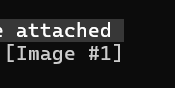
So this took me a minute to realize, and if it saves even one person some frustration, it’s worth a post. I’m working in Claude Code, trying to paste a screenshot or image like I can in VS Code with Claude Extension:CTRL+V… nothing.Try again. Nothing.Different image. Still nothing. A few thoughts are running through my head? Turns out… nope. I was just using the wrong shortcut. The magic combo is: ALT + V After which you should see something beautiful