How to take a screenshot on Chromebook? [answered]

Posted on: Friday, 2013.05.17 by J.D. H. in in Chrome, Software Tips,

Q. How do you take a screenshot on a Samsung Chromebook running Google’s Chrome OS? A. Easy! Press the CTRL + Page Flipper Key (the ‘Page Flipper’ Key is right above the 6 and 7 key on the keyboard) To view the resulting screen captures, simply press CTRL + M to open the File Mananger.

Tagged with:  

How to take a screenshot Android ICS & Acer A100

Posted on: Tuesday, 2012.06.12 by J.D. H. in in Android tips,

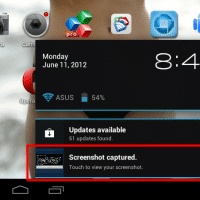
Recently I received the Ice Cream Sandwich Android upgrade on my Acer A100. one of the first things I wanted to try was taking a screenshot using ICS. Thankfully, it is super easy to take a screenshot using Ice Cream Sandwich: Press and hold the Power button and the Volume button (the volume button closest to [...]

Tagged with:  

Where is the location of my VM in VMWare Server 2?! [solved]

Posted on: Thursday, 2011.06.23 by J.D. H. in in computer tips, Work,

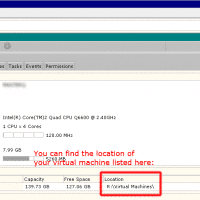
Q. Hello, I have a VMWare Server 2 setup that I am trying to administer. I cannot find the folder/directory where the VM (and the .VMX files etc.) are located. Can you help me find the location of the VM? Thx. A. Certainly! I can understand your confusion. The VMWare Server 2 web-based admin interface [...]

Tagged with:  

SkyGrabber Review [updated with screenshots and download]

Posted on: Thursday, 2009.12.17 by J.D. H. in in Ask J.D.,

If you’ve read about the security vulnerability of US military drone planes, like the Predator,  you probably wanted to checkout the Russian  SkyGrabber software to see what all the fuss is about. Unfortunately, their site seems to be down due to all the traffic. Hopefully the military (or the company that builds the drones) will [...]

Tagged with:  
69 queries in 0.380 seconds.